Mapping to MPLS Classes
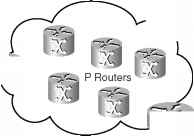
Figure 8-1 A Simple MPLS Network
New York CE Rtr1
PE Rtr1
Service Provider MPLS Network
PE Rtr2
PE Rtr2
PE Rtr3
Lima ""1 CE Rtr2
Shanghai ""1 CE Rtr3
PE Rtr3
In this situation, the company has three sites. Each site has a DS3 WAN link to the MPLS network. Notice the different routers involved. Each company site has an edge router—the customer edge (CE) router. Each CE router has a DS3 link to a provider edge (PE) router. Within the provider network are multiple provider (P) routers, in addition to other devices. Suppose that a videoconference is held between users in New York and Lima. QoS on the WAN interface of each CE router ensures that the video traffic has the right amount of bandwidth as it leaves the site. However, what if a user at Shanghai starts a large data file download from New York? QoS on the CE3 router, which does not have the video traffic, would not hinder the download. If the PE router to New York does not have QoS controls configured on it, that data traffic could monopolize the bandwidth on the PE1 to CE1 link. At the very least, it would cause jitter and a high drop rate for the videoconference. A better solution is for the MPLS provider to honor the customer DSCP markings and guarantee bandwidth to the video traffic. You must do this at the egress from the PE router to the CE router, and between the P routers within the MPLS network.
MPLS providers typically have a limited number of service levels, and their equipment is programmed to respond to specific DSCP values. Many companies find it easiest to just adopt the service provider marking throughout their own network. But that is not always the best design for every network. Companies that administer their own MPLS network must also plan how to provide the needed levels of service.
Proper planning can make this a lot easier. Keep the MPLS service classes in mind when you plan your internal QoS classes. Consider the company in the example with three large sites connected with an MPLS network. When the IT staff analyzes their traffic, they find IP voice and video conferencing—each with its own signaling, stock market data, SQL database data, e-mail, web browsing, network management, and other miscellaneous traffic. They decide to use the following classes and DSCP values within their network:
• Network management—AF33 (they also put routing updates, which are marked at CS6, in this class)
This company has selected a service provider that has four CoS levels available:
• Mission Critical—AF31
• Business Critical—AF21
This creates a problem because the company has eight types of traffic that must be provided different QoS levels within its internal network. Clearly, the service provider is not going to change its setup, so the company must map its traffic to the service provider classes before sending it into the MPLS cloud. At each site, it also needs to reclassify the traffic back into its original seven groups and remark it accordingly.
The company decides to place voice, video, and call signaling in the real-time, prioritized class. It would not be a good idea to mix voice and video over a slow link (less than 768 kbps), because video packets tend to be large and thus take longer to serialize onto the link than small voice packets. It might introduce delay and jitter into voice calls if they share a queue. In this example, each site has a DS3 to the MPLS network, so serialization problems are not an issue. Voice retains its EF marking; video and call signaling are marked as CS5.
Market data, network management, and routing traffic go into the second class, Mission Critical. SQL and e-mail traffic go together into the Business Critical class. Both applications use TCP, so WRED is also enabled on the CE routers for this class. All other traffic goes into the Default class. WRED is also enabled on this class at the CE routers.
Voice can retain its current EF marking, but video and call signaling need to be remarked as CS5. Market data, network management, and routing traffic need to be remarked as AF31, and SQL and e-mail traffic need to be remarked as AF21. All other traffic already has a DSCP value of 0, so it does not need to be changed.
Consolidating the classes is fairly easy to do. Example 8-10 shows how to do this. Recall that class maps have two options: match all and match any. This example takes advantage of the match any option to match multiple DSCP values in one class map.
Example 8-10 Mapping Internal Classes to MPLS Classes
VGateway(config)#class-map match-all TO-MPLS-EF
VGateway(config-cmap)#match dscp ef !
VGateway(config)#class-map match-any TO-MPLS-CS5
VGateway(config-cmap)#match dscp af41
VGateway(config-cmap)#match dscp cs3 !
VGateway(config-cmap)#class-map match-any TO-MPLS-AF31
VGateway(config-cmap)#match dscp af32 VGateway(config-cmap)#match dscp af33
VGateway(config-cmap)#match dscp cs6 !
VGateway(config-cmap)#class-map match-any TO-MPLS-AF21
VGateway(config-cmap)#match dscp af21 VGateway(config-cmap)#match dscp af23
The basic purpose behind identifying traffic is to configure the router to treat that traffic a certain way. You can manipulate data based on its markings in many ways, such as prioritizing it, guaranteeing bandwidth, policing to a specific bandwidth, dropping it, dropping random packets, or remarking it, as Example 8-11 shows. In the MQC, you do this using a policy map. After you have created the class maps that group the traffic, you use a policy map to change the DSCP values and allocated bandwidth.
Example 8-11 Marking the MPLS DSCP Values with a Policy Map
|
VGateway(config)#policy-map TO-MPLS |
|||
|
VGateway(config |
pmap)#class TO-MPLS-EF |
||
|
VGateway(config |
pmap |
c)#priority percent 18 |
|
|
VGateway(config i |
pmap |
c) |
#set dscp ef |
|
VGateway(config |
pmap)#class TO-MPLS-CS5 |
||
|
VGateway(config |
pmap |
c)#priority percent 15 |
|
|
VGateway(config i |
pmap |
c) |
#set dscp cs5 |
|
VGateway(config |
pmap |
c) |
#class TO-MPLS-AF31 |
|
VGateway(config |
pmap |
c) |
#bandwidth percent 12 |
|
VGateway(config i |
pmap |
c) |
#set dscp af31 |
|
VGateway(config |
pmap |
c) |
#class TO-MPLS-AF21 |
|
VGateway(config |
pmap |
c) |
#bandwidth percent 10 |
|
VGateway(config |
pmap |
c) |
#set dscp af21 |
|
VGateway(config i |
pmap |
c) |
#random-detect |
|
VGateway(config |
pmap |
c) |
|
|
VGateway(config |
pmap |
c) |
#set dscp 0 |
|
VGateway(config |
pmap |
c) |
#fair-queue |
|
VGateway(config |
cmap)#random-detect |
||
Then you apply this policy map to the WAN interface, outbound, with the following commands:
VGateway(config)#int atm 1/0.110 point-to-point
VGateway(config-subif)#pvc 10/110
VGateway(config-if-atm-vc)#service-policy output TO-MPLS
As a result, traffic from the eight internal QoS classes is mapped to the four classes of the MPLS provider. These same commands are needed on every CE router, applied outbound on the WAN interface. This is fairly easy. However, you must break the traffic back out into the original eight classes when it arrives at its destination CE router. That is a little more involved.
Recall that several types of traffic are sharing the same DSCP value. You must find a way to distinguish between them so that you can group them into the correct class inside the network. In the first group, identifying voice is no problem because it retained its previous marking of EF. Video and call signaling were given the same DSCP value, CS5, and placed into the same class as voice. An access list is used to break out call signaling traffic. Video uses RTP, so you can identify it in that way.
Three types of traffic are in the second group: routing, market data, and network management. The routing protocol used is Border Gateway Protocol (BGP), which you can identify by an access list. The market data uses several different ports, but all traffic is bound either to or from a specific subnet of servers. An access list can also be used to identify them. After those two are broken out, any other traffic with DSCP AF31 must be network management traffic.
The third group consists of SQL and e-mail traffic. The SQL servers share a subnet with the e-mail servers, so a simple access list specifying address is not enough. Fortunately, the Structured Query Language (SQL) and Simple Mail Transfer Protocol (SMTP) ports are both known, so you can use them to identify their respective traffic.
Example 8-12 shows how this might look when you put it all together. In this example, the policy is applied to the CE router at New York, where the servers are located. The access lists at the other sites need to flip the source and destination addresses and ports.
Example 8-12 Mapping MPLS Classes Back to Internal Classes
! This is the first group:
VGateway(config)#ip access-list extended SCCP
VGateway(config-ext-nacl)#permit tcp any any range 2000 2002
VGateway(config-ext-nacl)#ip access-list extended RTP
VGateway(config-ext-nacl)#permit udp any any range 16383 32767 !
VGateway(config-ext-nacl)#class-map VOICE
VGat VGateway(config-cmap)#match dscp ef !
VGateway(config-cmap)#class-map match-all MPLS_CALL_SIG VGateway(config-cmap)#match dscp cs5 VGateway(config-cmap)#match access-group name SCCP
Example 8-12 Mapping MPLS Classes Back to Internal Classes (Continued) !
VGateway(configs-cmap)#class-map match-all MPLS_VIDEO VGateway(config-cmap)#match dscp cs5
VGateway(config-cmap)#match access-group name RTP
! This is the second group: VGateway(config)#ip access-list extended BGP VGateway(config-ext-nacl)#permit tcp any any eq bgp
VGateway(config-ext-nacl)#permit tcp any eq bgp any
VGateway(config-ext-nacl)#ip access-list extended Market-Data
! The following is the Market Data server subnet
VGateway(config-ext-nacl)#permit ip any 10.1.17.0 0.0.0.255
VGateway(config-cmap)#class-map match-all Routing VGateway(config-cmap)#match dscp af31
VGateway(config-cmap)#match access-group name BGP
VGateway(config-cmap)#class-map match-all Mkt-Data VGateway(config-cmap)#match dscp af31
VGateway(config-cmap)#match access-group name Market-Data
VGateway(config-cmap)#class-map Network-Mgmt
VGateway(config-cmap)#match dscp af31 !
! This is the third group:
VGateway(config)#ip access-list extended SQL
VGateway(config-ext-nacl)#permit tcp any any eq 1433
VGateway(config-ext-nacl)#ip access-list extended SMTP
VGateway(config-ext-nacl)#permit tcp any any eq 25
VGateway(config-cmap)#class-map match-all SQL VGateway(config-cmap)#match dscp 21
VGateway(config-cmap)#match access-group name SQL
VGateway(config-cmap)#class-map match-all EMAIL VGateway(config-cmap)#match dscp 21 VGateway(config-cmap)#match access-group name SMTP
With the access lists and class maps, you now can classify the traffic incoming from the MPLS cloud into groups that correspond to your company policy. You do this using a policy map, as shown in Example 8-13.
Example 8-13 Converting MPLS Markings to Internal Markings
VGateway(config)#policy-map FROM-MPLS VGateway(config-pmap)#class VOICE VGateway(config-pmap-c)#set dscp ef !
VGateway(config-pmap-c)#class MPLS_CALL_SIG
|
VGateway(config ! |
-pmap- |
c) |
l#set dscp cs3 |
|
VGateway(config |
-pmap- |
c) |
l#class MPLS_VIDEO |
|
VGateway(config ! |
-pmap- |
c) |
l#set dscp af41 |
|
VGateway(config |
-pmap- |
c) |
|
|
VGateway(config ! |
-pmap- |
c) |
l#set dscp cs6 |
|
VGateway(config |
-pmap- |
c) |
l#class Mkt-Data |
|
VGateway(config ! |
-pmap- |
c) |
l#set dscp af32 |
|
VGateway(config |
-pmap- |
c) |
l#class Network-Mgmt |
|
VGateway(config ! |
-pmap- |
c) |
#set dscp af33 |
|
VGateway(config |
-pmap- |
c) |
l#class SQL |
|
VGateway(config ! |
-pmap- |
c) |
#set dscp 21 |
|
VGateway(config |
-pmap- |
c) |
l#class EMAIL |
|
VGateway(config ! |
-pmap- |
c) |
#set dscp 23 |
|
VGateway(config |
-pmap- |
c) |
l#class class-default |
|
VGateway(config ! |
-pmap- |
c) |
#set dscp 0 |
|
VGateway(config |
-pmap- |
c) |
l#interface ATM1/0.11 |
VGateway(config-subif)#pvc 10/110
VGateway(config-if-atm-vc)#service-policy input FROM-MPLS
VGateway(config-subif)#pvc 10/110
VGateway(config-if-atm-vc)#service-policy input FROM-MPLS
You apply the policy map inbound on the interface so that it affects traffic coming in from the MPLS cloud. Notice that policy map FROM-MPLS just sets DSCP values; it does not allocate bandwidth or prioritize traffic. Those tasks must be done at the outbound interfaces.
After the entire configuration is done, each CE router has two service policies on its WAN interface, as shown in Figure 8-2. The outbound policy aggregates the internally used classes of the company into ones that map to the standards of the MPLS provider. It remarks DSCP values where necessary. The inbound policy looks at the traffic coming from the MPLS cloud and then reclassifies and remarks it to comply with the internal QoS policy of the company.
Figure 8-2 Mapping QoS to MPLS Standards
Service Provider
Figure 8-2 Mapping QoS to MPLS Standards
Service Provider

As stated earlier, it is important to thoughtfully plan your QoS strategy. You need to decide how to group traffic and what DSCP value to give to each of those groups. This is not a trivial task.
Continue reading here: Providing Fax Services
Was this article helpful?